Smart Charging Control Check
Verifies the battery sensor and ECU-controlled charging strategy behave correctly.
What this test tells you
When to use it
- Charging voltage that varies between roughly 12.5 V and 15 V with no obvious pattern
- Stop-start has stopped working, or the message centre reports battery conditioning
- A battery replaced without being registered to the vehicle
- Repeat battery failures on a late-model car with no measurable drain
Safety
- Do not disconnect the battery sensor with the engine running
- Never bypass or delete the sensor to 'force' charging — it destroys battery life
- Standard belt, fan and hot-surface precautions apply
Vehicle setup
- Battery fully charged and known good before you judge the strategy
- Engine at operating temperature, doors closed, modules awake through the scan tool
- Know the battery's type and capacity — the strategy behaves differently for AGM and EFB
Meter setup
- Tool
- Scan tool with live data, plus a digital multimeter as an independent reference
- Function
- DC volts on the meter; live data list on the scan tool
- Range
- Auto range, or 20 V DC
- Sockets
- Red in VΩ, black in COM
RED Battery positive post
BLACK Battery negative post
The independent truth against which the scan tool's own figure is judged
RED Sensor supply or LIN pin at the sensor connector
BLACK Battery negative post
Only when the sensor is suspected of not communicating
Step by step
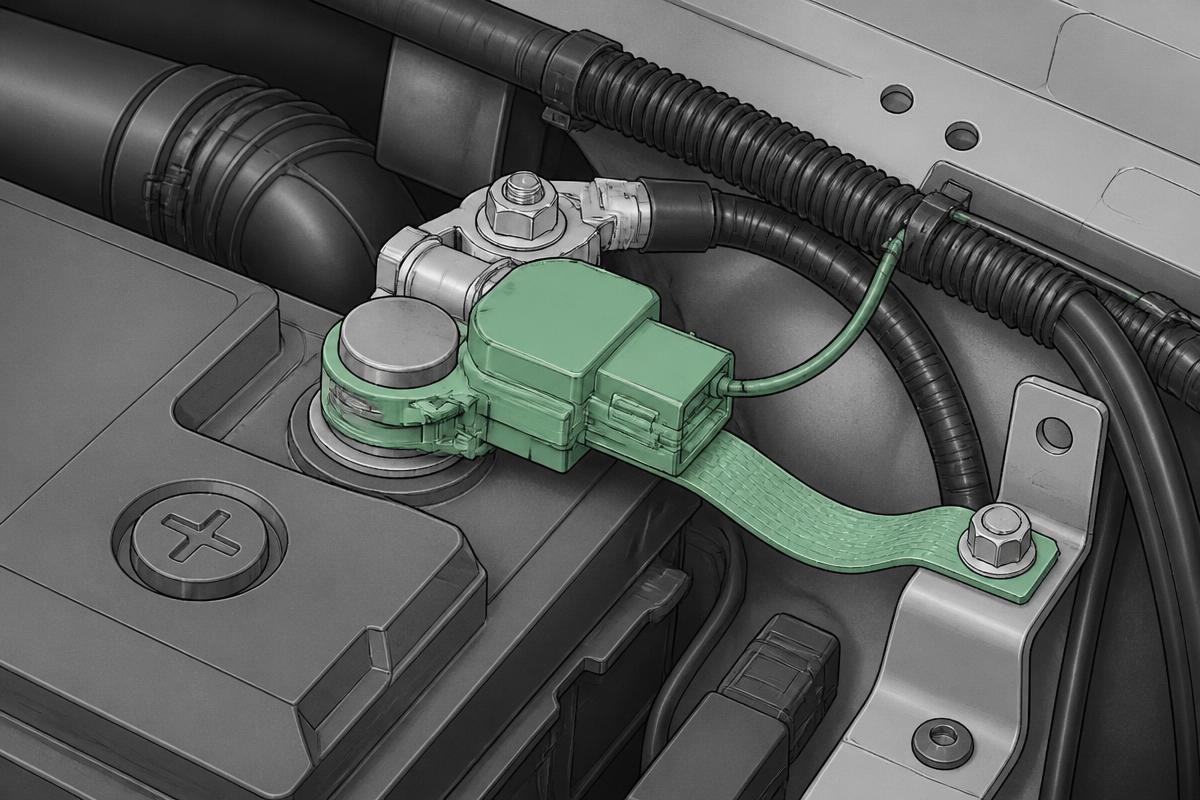
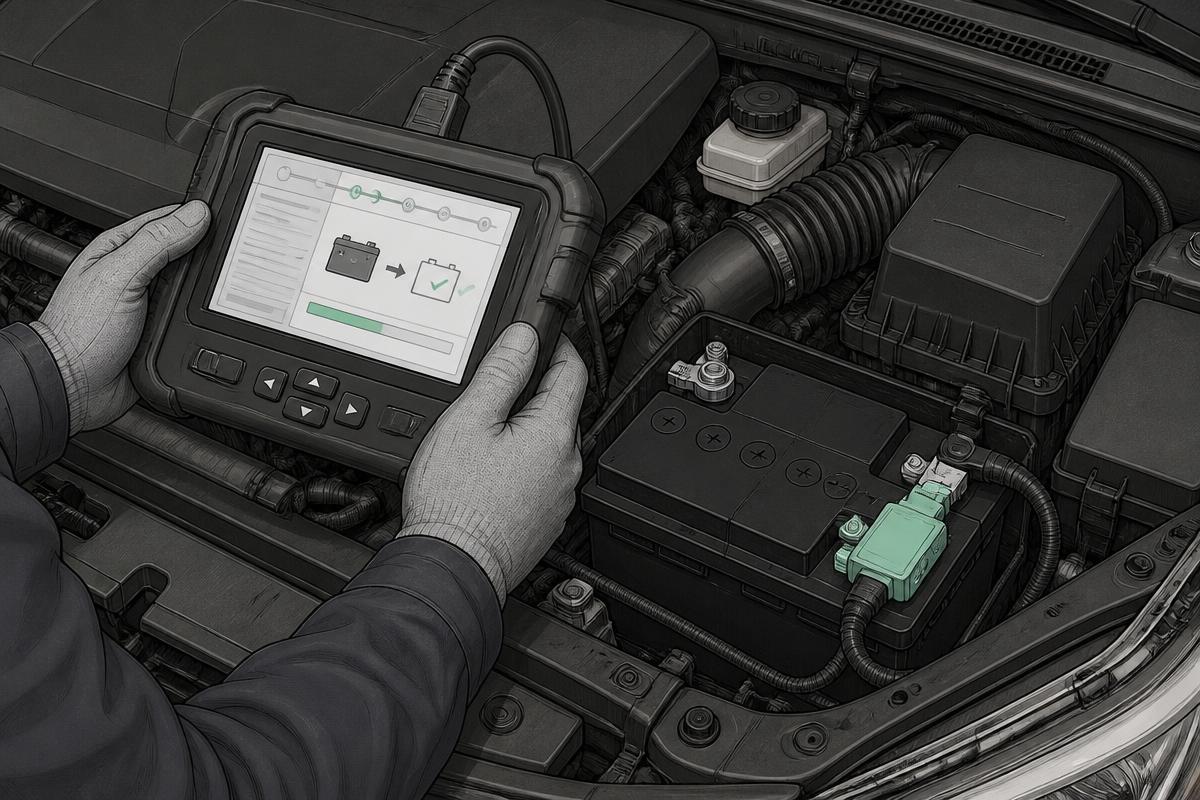
Step 1 · Find and inspect the battery sensor
It clamps to the negative post with an earth strap to the body and a single thin signal wire. Check it is fitted the right way round, tight, and undamaged.
Tap the numbered markers on the picture for the exact contact points.
Do not unplug the sensor with the engine running.
Procedure
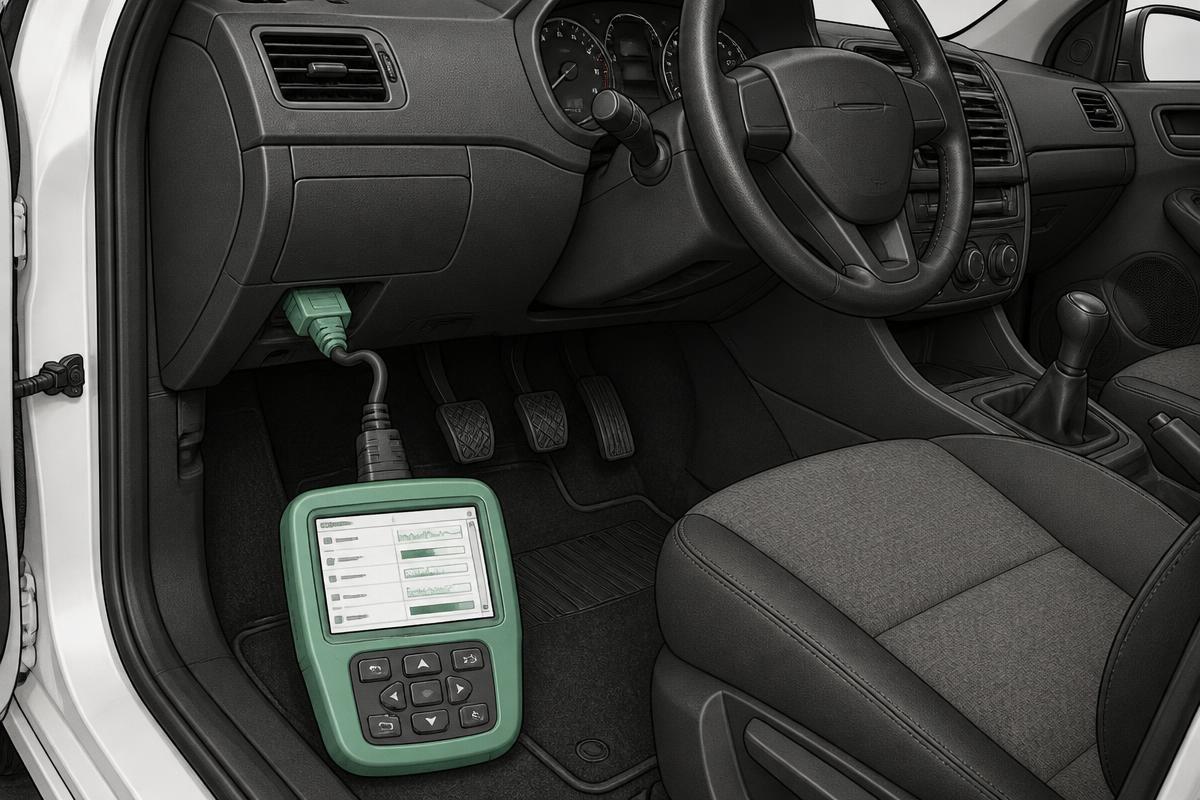
- Read stored faults in the engine and body control modules, and note any battery or LIN codes
- Find the battery sensor on the negative terminal and check it is fitted, undamaged and its plug is secure
- Open live data: battery voltage, current, state of charge, state of health and battery temperature
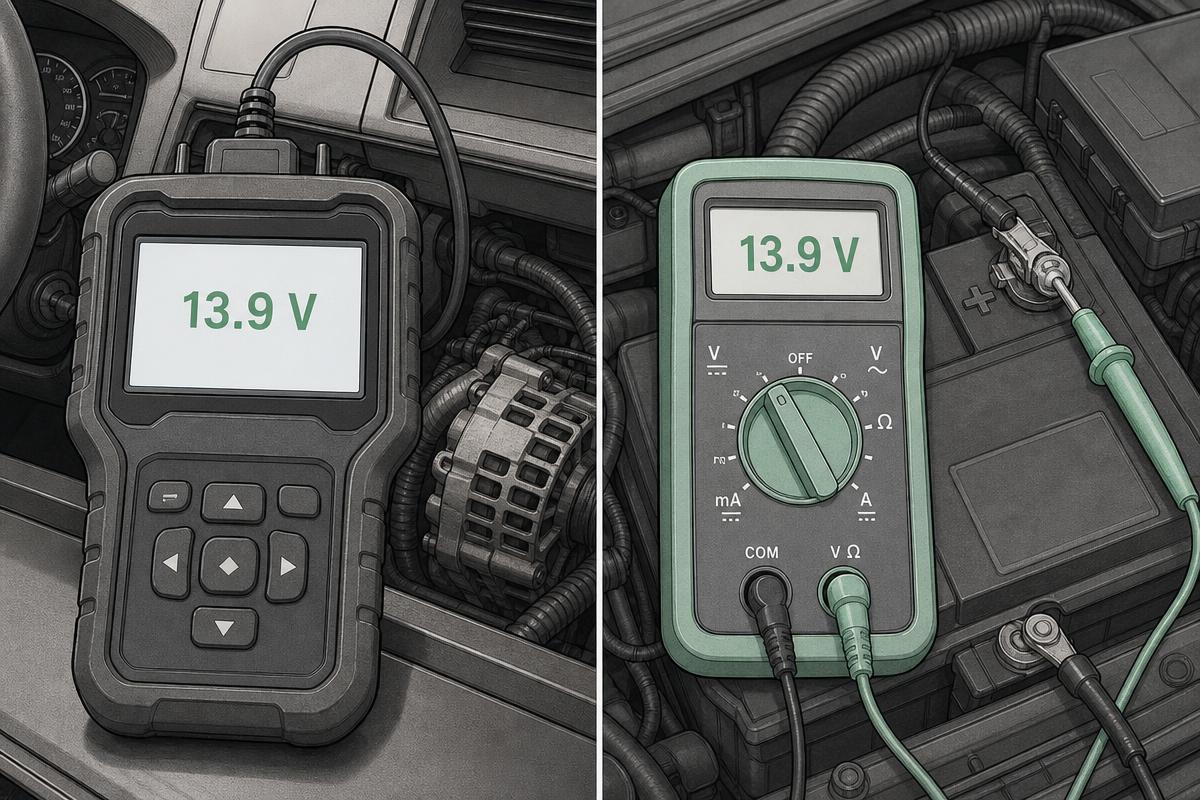
- Compare the scan tool's battery voltage against the multimeter across the posts
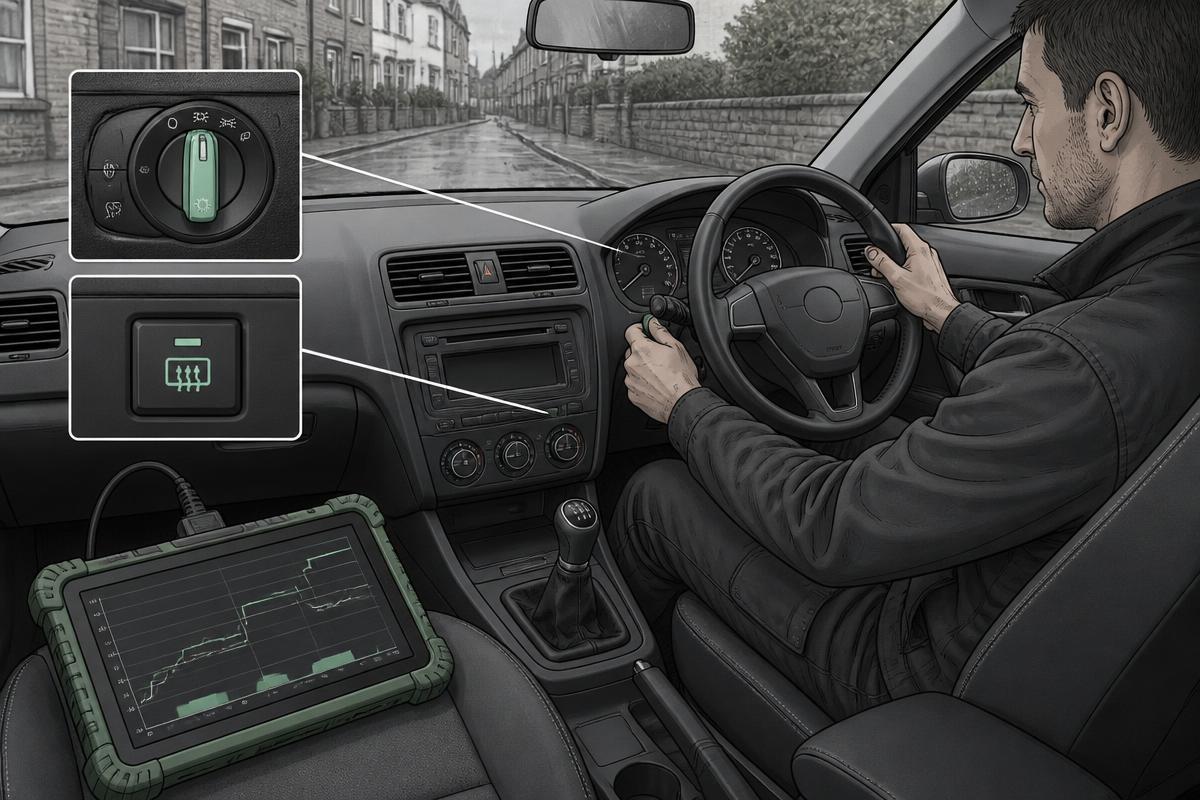
- Run the engine and watch the commanded charging voltage as loads are switched on and off
- Check whether a battery registration or reset was carried out when the battery was last changed
- Register the battery if required, then re-observe the strategy after a short drive
Normal result
Scan tool voltage within about 0.2 V of the meter, current showing negative into the battery when charging, plausible state of charge and temperature, and a charging voltage that rises when loads are applied or the battery is low and eases back when it is full.
Fault result
Scan tool and meter disagreeing by more than 0.3 V, current reading zero while the vehicle is clearly charging, implausible state of charge or temperature, LIN communication faults, or a voltage stuck at one value regardless of demand.
Interpretation
IfData plausible and voltage varies sensibly with demand
ThenSmart charging is working as designed — a low reading here is not a fault
NextExplain the behaviour and look for a drain or a tired battery instead
IfScan tool and meter disagree substantially
ThenThe sensor is measuring incorrectly and the strategy is working on bad data
NextCheck the sensor's connection and mounting, then replace the sensor
IfCurrent always zero while charging
ThenSensor is not measuring the shunt, or it is fitted the wrong way round
NextInspect and refit correctly, then re-test; replace if unchanged
IfLIN communication fault stored
ThenThe sensor is not talking to the module; the strategy defaults to a fixed voltage
NextCheck the single LIN wire, its connector and the sensor supply
IfNew battery fitted, never registered
ThenThe strategy is still charging for the old, worn battery — chronic undercharging
NextRegister the battery with its correct type and capacity, then recheck
Common mistakes
- Applying the fixed 14.4 V rule and condemning a healthy alternator
- Fitting a battery without registering it, then chasing a charging fault that does not exist
- Fitting a conventional flooded battery where an AGM is specified
- Deleting or bypassing the sensor to 'fix' variable voltage
- Judging the strategy on a battery that is already flat — charge it first